
Looking for a text face that says more than a plain smile? This kaomoji copy and paste guide starts with 50 faces you can use right away, then shows how to choose one for a bio, Discord channel, or message. Select a face, copy the entire line of characters, and paste it where you want it to appear.
Kaomoji are expressions made from text characters. (◕‿◕) feels gentle, (╥﹏╥) feels disappointed, and ʕ•ᴥ•ʔ looks like a bear. Unlike an image or sticker, each one travels as text. That makes kaomoji convenient in short spaces where you want personality without attaching a graphic. For more examples, browse EmojiRef's kaomoji collection and copy a face that fits your message.
For a name rather than a message, you can browse EmojiRef's Name Emojis collection for ideas that pair names with symbols. Copy only what fits your own profile and preview it on the platform where you will use it.

Cute and happy kaomoji copy and paste
Start here for greetings, good news, and friendly replies. A short face usually reads better than a long decorated line, especially on a phone. The following kaomoji copy and paste choices range from a quiet smile to an excited celebration.
| Kaomoji | Good for |
|---|---|
(◕‿◕) | A gentle smile |
(≧▽≦) | Excitement |
(^▽^) | A cheerful hello |
ヽ(・∀・)ノ | Celebration |
(ノ◕ヮ◕)ノ*:・゚✧ | A bigger reaction |
(๑˃ᴗ˂)ﻭ | A small victory |
(⌒‿⌒) | A calm, friendly tone |
(✧ω✧) | Delighted surprise |
(。•̀ᴗ-)✧ | A playful smile |
٩(。•́‿•̀。)۶ | Encouragement |
In a message, give the words room to do their job: “That worked (๑˃ᴗ˂)ﻭ” is easy to read. Piling several different faces onto the same sentence can make the reaction harder to understand. Save the elaborate faces for moments that deserve an elaborate response.
Heart and love kaomoji
An ordinary heart works in many conversations, but a text face can show whether you mean excitement, affection, or a quiet thank you. This kaomoji copy and paste group is useful for close friends, warm sign-offs, and playful captions.
| Kaomoji | Good for |
|---|---|
(。♥‿♥。) | Heart eyes |
( ˘ ³˘)♥ | A kiss |
♡(ŐωŐ人) | Affection |
(◍•ᴗ•◍)❤ | A warm thank you |
(*˘︶˘*).。.:*♡ | A soft sign-off |
(•ө•)♡ | A playful note |
(っ˘з(˘⌣˘ ) | A cheek kiss |
(づ ̄ ³ ̄)づ | An affectionate hug |
(♥ω♥*) | Being smitten |
( ˘⌣˘)♡ | Quiet affection |
Copy the entire expression, including its spaces and punctuation. If a platform changes the font or spacing, preview the result before posting. A heart inside a face may render differently from a standard heart emoji on another device.
Shy and blushing kaomoji
These work for modest compliments, awkward moments, and introductions that need a lighter tone. The faces below lean toward expression rather than decoration, so one can fit naturally at the end of a sentence.
| Kaomoji | Good for |
|---|---|
(*/ω\*) | Hiding your face |
(⁄ ⁄•⁄ω⁄•⁄ ⁄) | Blushing |
(*´∀`*) | A bashful smile |
(〃ω〃) | Feeling shy |
(´,,•ω•,,)♡ | Shy affection |
(๑˘︶˘๑) | A nervous smile |
(⁄ ⁄>⁄ ▽ ⁄<⁄ ⁄) | Flustered excitement |
(⸝⸝•ᴗ•⸝⸝) | A quiet, cute reply |
Sad and crying kaomoji
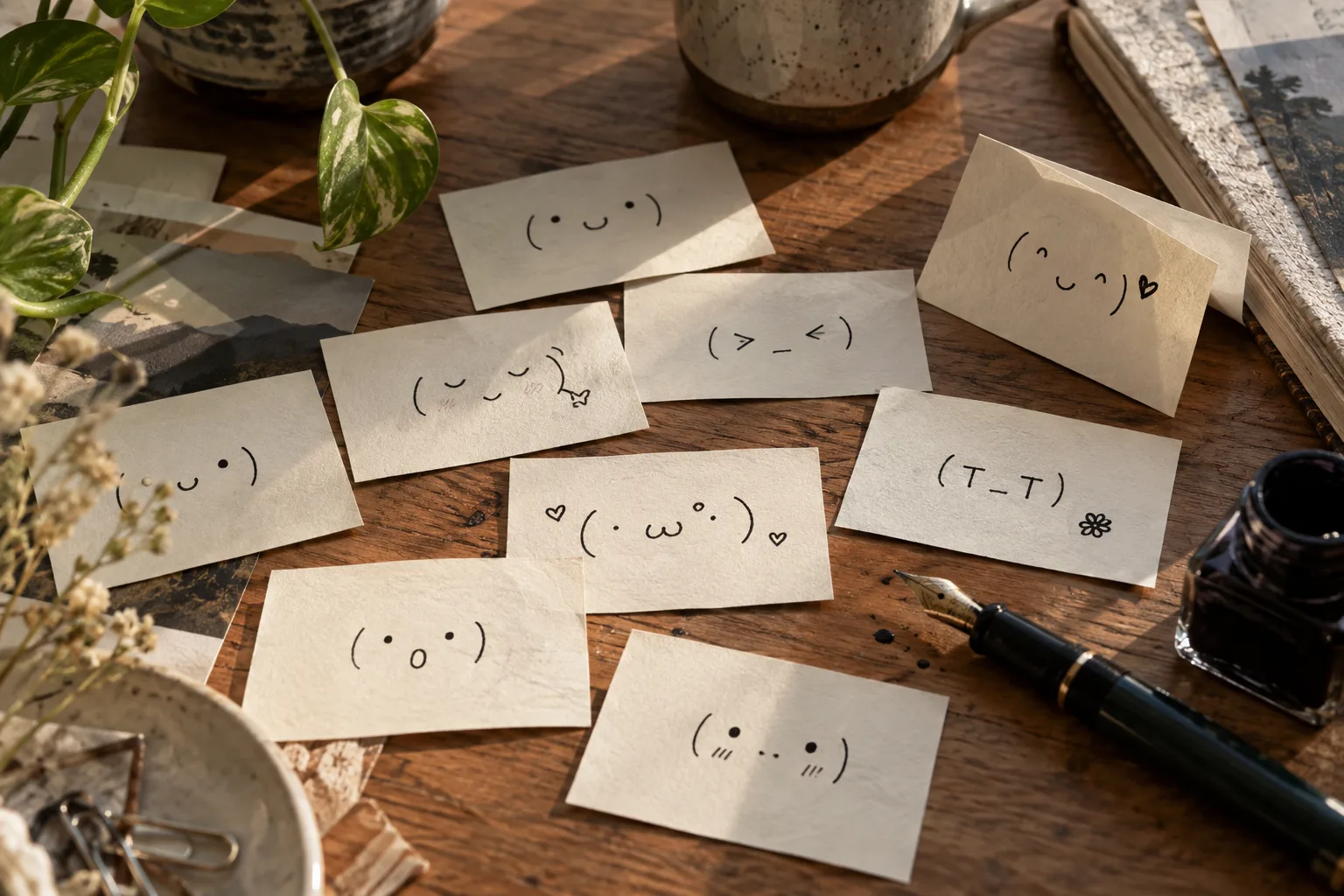
Sad faces can range from mild disappointment to dramatic tears. Match the face to the sentence: (。•́︿•̀。) can soften a small setback, while (╥﹏╥) is unmistakably more intense. This kaomoji copy and paste list gives you several levels to choose from.
| Kaomoji | Good for |
|---|---|
(╥﹏╥) | Crying |
(。•́︿•̀。) | Feeling down |
(っ˘̩╭╮˘̩)っ | Needing comfort |
(T_T) | A simple sad face |
(ಥ_ಥ) | Disbelief or tears |
(つ﹏<。) | A dramatic reaction |
(;ω;) | Quiet tears |
(ノ_<。) | Frustration or sadness |
The meaning still depends on context. Friends sometimes use an exaggerated crying face after a funny story; in a serious conversation, plain words may be kinder and clearer. A face can support a message, but it should not replace the part that matters.
Animal kaomoji for playful profiles
Animal faces are easy to recognize and often fit a casual bio or community chat. A bear may feel cozy, while a cat may give a username a mischievous edge. Use this group when you want a small visual signature.
| Kaomoji | Good for |
|---|---|
ʕ•ᴥ•ʔ | A bear |
(=^・^=) | A cat |
ฅ^•ﻌ•^ฅ | Cat paws |
૮ ˶ᵔ ᵕ ᵔ˶ ა | A puppy-like face |
U・ᴥ・U | A dog |
/(≧ x ≦)\ | A bunny |
(•ө•) | A bird |
(=^・ω・^=) | Another cat mood |
Some animal faces use characters from several writing systems. They are still text, but a site may limit which characters are allowed in display names. Try the face in the actual profile field and check how it appears on mobile before committing to it.
Reaction kaomoji for chats and communities
Not every reply needs a cute smile. These six reactions communicate a clearer attitude, from a teasing look to comic frustration. Choose the tone deliberately; a table flip can be funny in a game chat and unhelpful in a support channel.
| Kaomoji | Good for |
|---|---|
(¬‿¬) | A teasing look |
¯\_(ツ)_/¯ | A shrug |
(╯°□°)╯︵ ┻━┻ | Comic frustration |
(๑•̀ㅂ•́)و✧ | Determination |
(⊙_⊙) | Surprise |
( ̄ー ̄) | A knowing smile |
How to use kaomoji in a bio or username
A bio has limited space, so give the words priority. State who you are or what you share, then add one face that matches the tone. A useful kaomoji copy and paste choice should be understandable at a glance and leave the name readable:
Emma | books, coffee, slow mornings
(◕‿◕)
sketching little things
ʕ•ᴥ•ʔ
If you also like hearts, stars, or separators, use a small set consistently. “Emma ✦ books ✦ coffee (◕‿◕)” has a rhythm; five unrelated symbols between every word make the same bio slower to scan. A profile editor may accept the characters while its public page displays them differently, so check the published view as well.
How to use kaomoji in Discord
Discord has several places for visual text: welcome messages, role descriptions, casual replies, and sometimes channel names. A kaomoji copy and paste example can make a welcome feel warmer, but short expressions are easier to scan in a busy server sidebar:
welcome・(◕‿◕)
art-chat・✧
Keep important labels in ordinary words. If every channel begins with a different face, members must work harder to find announcements or help. Use one or two recurring markers for related sections, then let the channel names explain the destination.
If your server uses welcome templates or automated announcements, paste the face into a test message before making it public. A template may add punctuation or line breaks around inserted text. Keep the instruction or announcement clear even if members' fonts render the symbols differently.

How to find the right face and paste it cleanly
When you know the mood but not the exact characters, search by feeling: try “shy,” “heart,” “crying,” or “cat.” A searchable kaomoji copy and paste collection is more useful than scrolling through hundreds of unsorted faces. Pick a result, copy the whole string, and paste it into a draft message first.
Check three things before publishing. First, make sure the face still looks right after the app applies its font. Second, look for characters that turn into empty squares on another device. Third, keep enough ordinary text around the face that the message still makes sense if the decoration disappears.
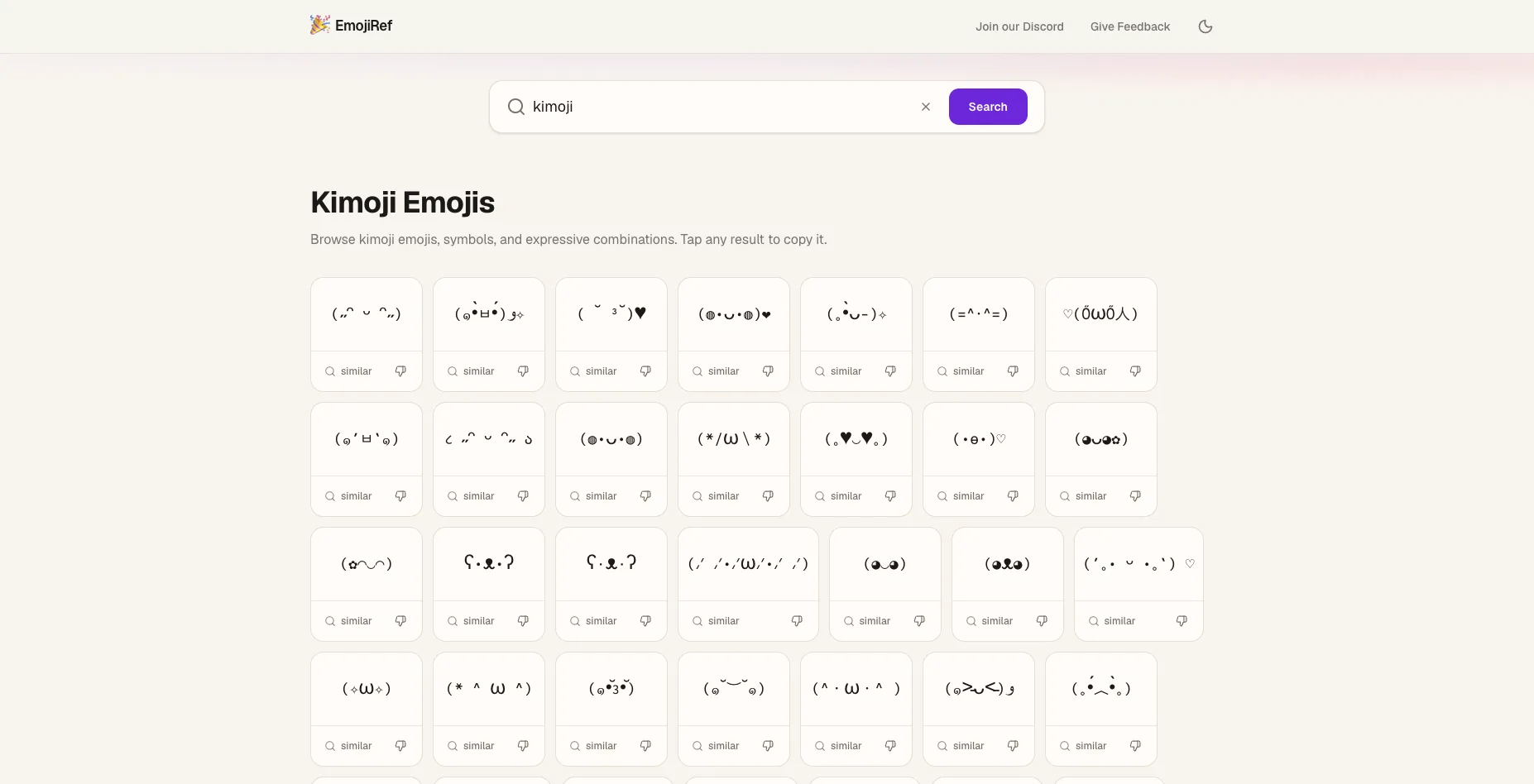
EmojiRef's Kimoji page shows a grid of expressions that can be copied directly. The screenshot below shows the actual page rather than an imagined app interface; you can search for a mood and choose a face that matches the words you are writing.
When kaomoji copy and paste goes wrong
Text faces depend on the characters and the font that displays them. If an eye seems too far from the mouth, try a shorter alternative from the same mood group. (T_T) is easier to preserve across narrow layouts than a long face with decorative marks. A preview on the destination app tells you more than the appearance of the original list.
Check the copy itself before changing settings. Missing spaces can pull the pieces of a face together, and an accidental line break can split it in two. On mobile, place the cursor after the last character and make sure the whole expression came across. Some apps also trim leading or trailing spaces; keeping the face inside a sentence usually avoids that problem.
For a display name, test the final version in the profile editor and on the public page. A name can look fine while editing but wrap awkwardly next to an avatar or badge. If it does, choose fewer symbols or move the face to the bio, where it has room to breathe.
Build a small collection you will actually use
Save three or four favorites in a notes app with a short label for each mood. For example, keep one friendly greeting, one warm thank you, one sympathetic reply, and one playful reaction. This is faster than hunting through a long list every time a conversation changes direction. It also helps you notice when two faces communicate almost the same thing.
If you share a face with a friend, send it as plain text so they can select and reuse it. Add a few words of context when the meaning could be unclear. A wide grin can read as sincere excitement in one chat and sarcasm in another; the sentence around it makes your intention easier to understand.
Keep the message readable
The best kaomoji copy and paste habit is selective use. A single expression can carry a smile, a pause, or a joke. Repeating a long string in every sentence makes the writing harder to read, especially for someone using a screen reader, which may announce individual symbols.
Do not let a face carry essential information alone. “Important update (⊙_⊙)” is clearer than posting the expression without any explanation. The same rule applies to a bio, a channel label, and a support reply: write the meaning first, then add a face if it helps.
Keep a small note of the expressions you return to. You will paste them faster, and your messages will feel more consistent. When you want something new, the kaomoji copy and paste list above gives you a starting point by mood rather than a wall of interchangeable symbols.